I’ll never forget the sound. It was a rhythmic click-grind… click-grind… that haunted my teenage years. I’m talking about my old family PC, a beige monstrosity, trying to load Morrowind. I’d double-click the icon, hear the hard drive spin up like a tiny jet engine, and then… I’d just leave. I could make a sandwich, grab a soda, argue with my brother, and come back to find the loading bar had crawled, defeated, to maybe 75%. That agonizing wait wasn’t just a pause; it was a core, and terrible, part of the gaming experience.
We were living in the dark ages, and we just accepted it.
Today, that entire generation of pain is gone. We’ve been saved by one of the simplest, yet most profound, upgrades you can make to a gaming rig: the Solid-State Drive (SSD). If you are still launching games from a clunky old Hard-Disk Drive (HDD), you are willingly living in the past. You’re robbing yourself of a night-and-day performance boost.
But now, the market is a jungle of acronyms, numbers, and marketing hype. So, the real question isn’t if you need one. The real question is, what is the best SSD for gaming for you?
Let’s dig in. This isn’t just about specs on a box. It’s about getting your time back and transforming your entire experience.
More in Motherboards & Storage Category
How to move your Windows OS from an HDD to an SSD
Key Takeaways
Alright, you’re busy, I get it. If you’re looking for the lightning-fast summary, here’s the cheat sheet before we dive deep.
- The single biggest leap in performance you will ever feel is moving from a spinning hard drive (HDD) to any SSD. Even a “slow” one. It’s a C-tier to S-tier upgrade, period.
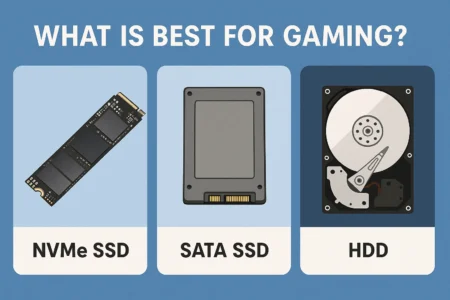
- The new standard is NVMe. These are the little “gum stick” drives (also called M.2) that plug directly into your motherboard. They are leagues faster than the older 2.5-inch SATA SSDs.
- Don’t get tricked by speed and ignore capacity. Modern games are massive. A 1TB drive is the absolute minimum you should consider for a new gaming build. We strongly recommend 2TB as the comfortable “sweet spot” that won’t have you playing “storage Jenga” every month.
- PCIe Gen4 is where your money should go. These drives offer blistering-fast speeds that are more than enough for any game, and their prices have become fantastic.
- PCIe Gen5 is currently overkill for gaming. Yes, the drives are incredibly fast on paper, but they offer almost no real-world benefit over Gen4… for now. You’re paying a huge premium for speed your games can’t even use. Save your money.
Why is Everyone Yelling About SSDs for Gaming?
It’s easy to get lost in the marketing, but the difference here isn’t imaginary. It’s real, and it’s mechanical.
Think about your old hard drive (HDD) as a cluttered, massive garage. When your PC needs a specific game file (like a texture for a gun, or a sound file for an explosion), it’s like yelling into that garage, “Hey, go find the box labeled ‘explosions,’ and get me file #257!” Inside, a tiny, overworked robot (the read/write head) has to wake up, find a physical map (the file index), drive a little cart over to a giant, spinning shelf (the platter), wait for the right box to come around, grab the single file, and then drive it all the way back.
You can hear it working. That chug-chug-chug is the sound of your robot driving around. It’s slow. It’s physical. It’s ancient technology.
An SSD is a high-tech workshop. It has no moving parts. It’s just a clean, perfectly organized workbench covered in labeled, transparent bins (the memory chips). When your PC needs that same explosion file, it just looks at the workbench and instantly grabs it. There’s no robot, no spinning shelf, no driving. The file is just there.
This “instant” access is what obliterates loading screens. You are removing the physical “search and retrieve” time from the equation entirely.
Okay, But Will an SSD Really Make My Games Run Better?
This is a fantastic question, and the answer requires a little honesty. We need to define “run better.”
Will an SSD boost my FPS?
Let’s be perfectly, brutally clear: No.
Your Frames Per Second (FPS) is a metric that lives and dies with your Graphics Card (GPU) and, to a lesser extent, your Processor (CPU). Your GPU is the engine rendering every single frame of the game, sixty or ninety or 144 times per second. Your SSD is the gas tank.
Buying a faster SSD is like putting premium fuel in a car. It won’t magically make your NVIDIA RTX 4070 perform like a 4090. It won’t give you higher framerates in a firefight. It won’t make your car’s engine bigger.
This is one of the biggest misconceptions in PC building. Anyone who tells you a fast SSD will get you more FPS is either confused or actively trying to sell you something. But that doesn’t mean it isn’t a massive, tangible performance upgrade.
So what’s the actual benefit for me as a gamer?
The benefits are all about smoothness and removing friction. It’s about killing the “wait.” You’ll feel the difference in three massive ways, and once you do, you can never go back.
First, your entire computer’s “on” switch becomes instant. Booting Windows goes from a 45-second coffee break to a 5-second “oh, it’s already at the login screen” event. Launching Cyberpunk 2077 or Baldur’s Gate 3 is no longer a ritual where you check your phone. You click the icon, and the game opens.
Second, in-game loading is just… gone. You know that feeling in Starfield when you fast-travel? On an HDD, it’s a 30-second stare at a loading screen. On a good NVMe drive, it’s so fast—maybe 3-5 seconds—that you literally cannot read the helpful tips on the screen. It’s a problem I’m happy to have.
Finally, you get a smoother, more immersive world. Ever been running or driving full-speed in an open-world game and seen blurry, low-detail textures “pop in” right in front of you? Or worse, has your game ever stuttered for a half-second as you enter a new, crowded city? That’s often your game struggling to pull the high-resolution assets from a slow drive. A fast SSD streams those assets in seamlessly in the background. The world just feels more solid and real, with no hitches to break the illusion.
I’m Lost in Acronyms. What’s the Difference Between SATA and NVMe?
This is the first major choice you’ll make when you’re at the digital store. It’s all about the connection, the “plug” that gets the data from the drive to your PC.
What about those 2.5-inch SATA drives?
These are the SSDs that look like little flat boxes, about the size of a deck of cards. They connect to your motherboard the “old-fashioned” way, using two cables: a thin SATA data cable and a wider SATA power cable from your power supply.
For years, these were the standard. A drive like the Samsung 870 EVO is still a fantastic, reliable performer, and it is light-years faster than any HDD. If you have an older PC that doesn’t have the newer M.2 slots, a 2.5-inch SATA SSD is still an A+ upgrade that will make your machine feel new again.
In a modern build, they are perfect as a secondary “bulk storage” drive. Got a massive library of older titles or indie games you don’t play every day? A big 2TB or 4TB SATA drive is a cost-effective way to keep them all installed.
Then what is this “NVMe” thing that looks like a gum stick?
This is the new champion. This is what you want for your main drive.
“NVMe” (Non-Volatile Memory Express) is the faster, more modern protocol, or “language,” that SSDs speak. It uses the “M.2” form factor, which is just a little stick that plugs directly into your motherboard, no cables required.
Why is it so much faster? Because it’s not using the old, slow SATA bus. It slots right into a PCIe lane. That’s the same super-fast, multi-lane highway that your monster graphics card uses to talk to your CPU. By communicating directly with the CPU over this highway, it’s like having a dedicated, private tunnel for your data. There are no cables to slow it down, no old standard to bottleneck it. This direct line of communication is what allows for the insane 7,000 MB/s or 14,000 MB/s speeds you see advertised.
Unless you are on a very old machine, this is what you want for your main boot drive and your favorite, most-played games.
Gen3, Gen4, Gen5… Is This Just a Numbers Game?
You’ve wisely decided on an NVMe M.2 drive. Great! Now you see these “Gen” numbers.
This simply refers to the generation of the PCIe interface. Think of it like a highway.
- Gen3 was a 4-lane highway.
- Gen4 is an 8-lane highway.
- Gen5 is a 16-lane highway.
Each generation essentially doubles the potential speed, or bandwidth. A Gen4 drive has twice the theoretical top speed of a Gen3 drive. A Gen5 drive doubles that again.
How much speed do I actually need?
Let’s put this in real-world numbers, not just theory. A good PCIe Gen3 SSD maxes out around 3,500 MB/s. That is still incredibly fast, and for years, it was more than enough for a top-tier gaming experience. You can still get these for great prices, and they are a perfectly valid choice for a budget build.
A PCIe Gen4 SSD, the current sweet spot, pushes things up to around 7,400 MB/s. This is the new standard, offering blazing-fast performance that will not be a bottleneck for any game on the market for years to come. Their prices have fallen dramatically, making them the best balance of price and performance.
A new PCIe Gen5 SSD is hitting the market now, with speeds of 14,000 MB/s or more. They are bleeding-edge, carry a heavy price premium, and often require active cooling fans.
So, do I need a Gen5 drive to be competitive?
Honestly? Absolutely not. Right now, it’s a waste of money for a gamer.
We’re in a situation where the drives are too fast for the software. In real-world gaming tests, the difference in load times between a high-end Gen4 drive (at ~7,000 MB/s) and a brand-new Gen5 drive (at ~14,000 MB/s) is… often less than a single second. Sometimes it’s a few milliseconds. Your games simply cannot ask for data fast enough to use that extra speed. You are paying double the price for a 5% (or less) real-world gain.
I recently upgraded my personal rig. I went from a solid Gen3 drive (a 3,500 MB/s Sabrent Rocket) to a high-speed Gen4 drive (a 7,300 MB/s WD SN850X). The jump from my old HDD to that first Gen3 SSD was life-changing. The jump from Gen3 to Gen4? It’s nice. My boot time is literally instant. But in games, the difference is minimal. I feel it more in video editing, but not in Cyberpunk.
The only “future-proofing” argument for Gen5 is a technology called DirectStorage. This is a new API from Microsoft that will one day allow a game to load assets (textures, models) directly from the SSD to the GPU’s VRAM, completely bypassing the CPU. This will make drive speed more important. But game adoption is still tiny, and even then, a Gen4 drive will be more than fast enough to see huge benefits.
Don’t buy for a theoretical future that isn’t here. Buy the sweet spot. Buy Gen4.
How Do I Pick the Right SSD for My Build?
This is where we get practical. You need to balance three things: Capacity, Cost, and Compatibility.
How much storage space is enough?
This is, in my opinion, way more important than chasing the absolute highest speed number.
I’ll tell you a story. My first-ever SSD was a 120GB model. I was so excited. I installed Windows on it, which left me with about 90GB. Then I installed The Elder Scrolls V: Skyrim and one or two other games. And… that was it. It was full. I spent the next year of my life playing “storage management simulator,” constantly deciding which game to uninstall so I could try a new one. I’d have to delete Skyrim to install Mass Effect 3.
It was awful. It completely undermined the convenience the drive was supposed to give me.
Do not make my mistake. With modern games like Call of Duty and Baldur’s Gate 3 easily topping 150GB each, storage space is not a luxury. It’s a necessity.
- 500GB: Do not buy this. This is the new 120GB. It is no longer enough. You’ll install your OS and 2-3 big games, and you will be full. You will be back in storage jail.
- 1TB: This is the absolute bare minimum for a new gaming PC. It’s enough for your OS, your core programs, and 4-5 large games. You’ll be watching your free space, but it’s manageable.
- 2TB: This is the sweet spot. This is my strong, unshakeable recommendation. It’s the best value (price-per-gigabyte) right now, and it gives you comfortable breathing room for a healthy game library without needing to clean house every month.
- 4TB+: This is for the digital “packrat,” the person who refuses to uninstall anything, or the serious content creator. If you have the budget, go for it. A 4TB drive is a glorious, worry-free expanse.
What about “DRAM cache”? Do I need to care?
You’ll see this term on spec sheets. A DRAM cache is a small, super-fast chunk of memory (like your computer’s RAM) that’s built on the SSD itself. Its job is to act as a short-term memory and map, helping the drive keep track of where all the little bits and pieces of your files are stored.
Drives with a DRAM cache are better at handling many small files at once and long, sustained write tasks. Drives without one (DRAM-less) are cheaper and use a bit of your computer’s main RAM to do the same job (this is called “Host Memory Buffer” or HMB).
Here’s the simple rule:
- For your main boot drive (where Windows is installed), I highly recommend getting a drive with a DRAM cache. It makes the whole OS feel snappier, as it’s not borrowing other resources. It’s self-sufficient.
- For a secondary “games only” drive, a high-quality DRAM-less (HMB) drive is perfectly fine and a great way to save money. Game loading is mostly reading one big file, so the cache matters less.
I see “TBW” on the box. What’s that about?
TBW stands for “Terabytes Written.” It’s an endurance rating for how much data you can write to the drive over its 5-year warranty period before the memory cells might start to degrade. A 1TB drive might be rated for 600 TBW.
I’m going to make this very simple: Ignore it.
For a gamer, this number is irrelevant. Gaming is 99% reading data (loading the game) and 1% writing (a save file). To hit a 600 TBW limit on a 1TB drive, you would have to write 600,000 gigabytes of data. That’s the equivalent of installing Call of Duty (at 150GB) 4,000 times. You would have to spend decades downloading and deleting games 24/7 to come close to the TBW limit of a modern drive. This spec is for content creators writing 8K video files all day or for data centers. It’s not for us.
So, What Are the Best SSDs I Can Buy Right Now?
You’ve done the research. You know what you need. Here are some of the best-in-class drives on the market right now, broken down by who they’re for.
The “Money Is No Object” Champions (Gen5)
These are the bleeding-edge monsters. If you have a brand-new Z790 or X670E motherboard with Gen5 slots and you just have to have the fastest benchmark numbers, these are for you. They are engineering marvels, but they are also very expensive and require beefy heatsinks. Think models like the WD Black SN8100, Crucial T705, or Corsair MP700 Pro. For the 1% of builders.
The “Best All-Around” Sweet Spot (Gen4)
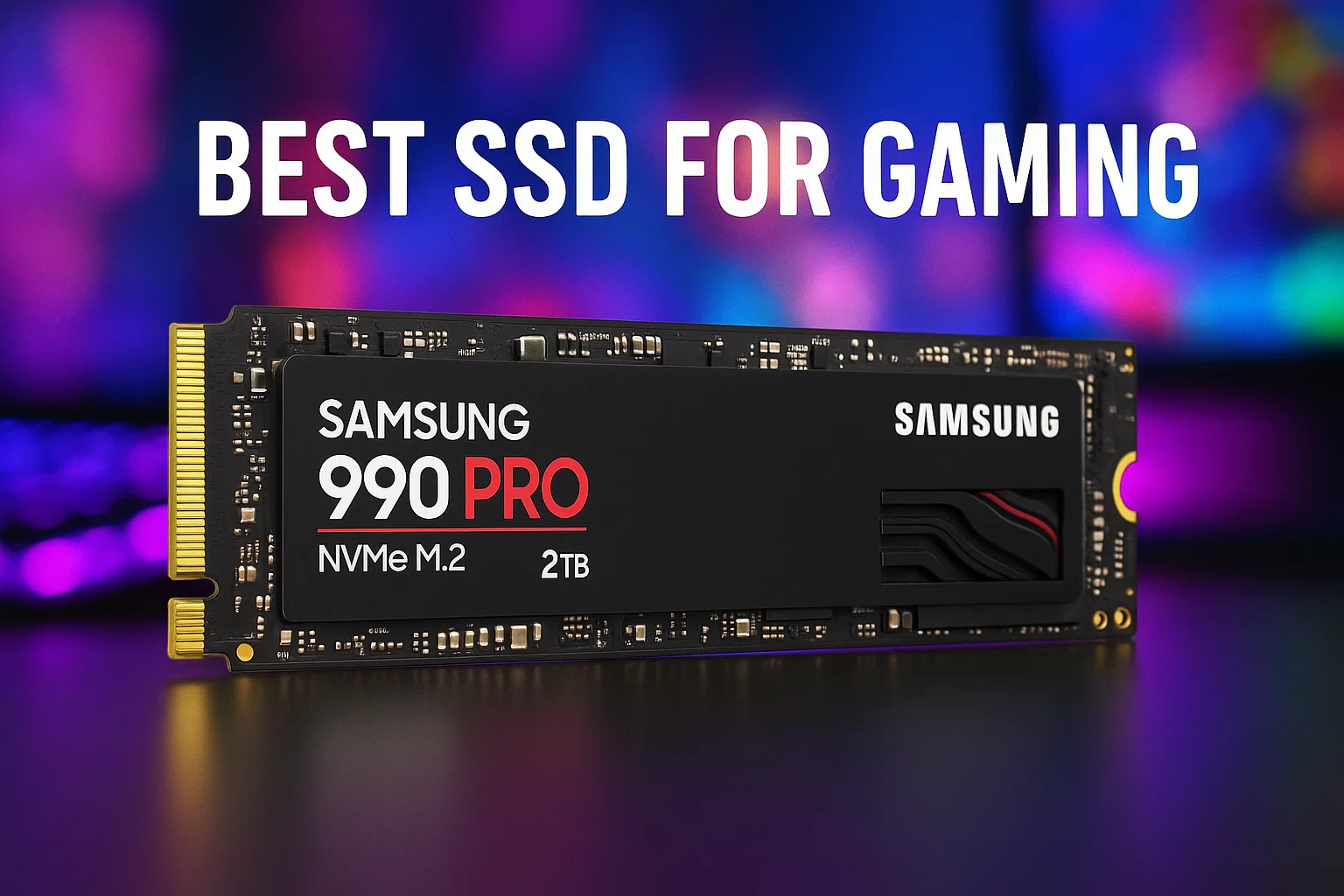
This is the answer for 90% of gamers. These drives are the pinnacle of Gen4 technology, offering blazing-fast speeds (over 7,000 MB/s), extreme reliability, and DRAM caches. This is the “buy it nice or buy it twice” category. You cannot go wrong with a WD Black SN850X or a Samsung 990 Pro. If you want to get 95% of the performance for a bit less money, the Crucial P5 Plus or Kingston KC3000 are fantastic value-oriented options that still crush.
The “I Just Want to Ditch My Hard Drive” Budget Buys
This is for the gamer on a tight budget or someone upgrading an older PC that doesn’t have M.2 slots. Let me be clear: moving from a spinning hard drive to one of these will still feel like a miracle. The Samsung 870 EVO is arguably the best 2.5-inch SATA SSD ever made, and it’s a rock-solid, reliable choice. If you have an M.2 slot but it’s only Gen3, a Crucial P3 or WD Blue SN570 (a Gen3 drive) is a respectable, fast, and cheap way to get in the game.
What About My PlayStation 5 or Xbox?
This is a critical, and different, question, as consoles play by different rules.
How do I upgrade my PS5?
The PlayStation 5 is fantastic because Sony allows you to upgrade its storage with an off-the-shelf M.2 drive. But it has very specific requirements. First, it must be a PCIe Gen4 (or Gen5) drive. Second, it must have a sequential read speed of 5,500 MB/s or faster. Third, and this is non-negotiable, it must have a heatsink.
My advice is simple: Buy one that comes with a heatsink pre-installed. It makes life so much easier. The WD Black SN850X with Heatsink or the Samsung 990 Pro with Heatsink are two of the most popular, “it-just-works” options that are guaranteed to meet or exceed Sony’s requirements.
Can I upgrade my Xbox Series X/S?
Sadly, no. Not in the same way. Microsoft opted for a closed, proprietary system. You cannot open up your Xbox and install a standard M.2 drive. Your only option is to buy one of the official Seagate or Western Digital Expansion Cards that plug into the special port on the back of the console. They work great, and they’re just as fast as the internal drive, but they are expensive, and you are locked into buying only those specific cards.
Before I Click “Buy,” Am I Forgetting Anything?
Yes! Two last-minute checks that will save you a world of headache.
Do I need a heatsink for my PC drive?
For a Gen3 drive? No, not really. They don’t get hot enough to matter. For a Gen4 or Gen5 drive? Yes. Absolutely.
These drives get hot when they’re working hard. If they get too hot, they will “thermal throttle.” This is a safety feature where they intentionally slow themselves down—sometimes to speeds slower than a Gen3 drive—to cool off. This defeats the entire purpose of buying a fast drive.
The good news is that most modern gaming motherboards come with M.2 heatsinks. They look like little metal plates that sit over your M.2 slots. Just use the one that came with your motherboard. If your board doesn’t have one, or you’re using a secondary slot that doesn’t, just buy a version of the SSD that has a heatsink pre-attached.
How do I know what my motherboard supports?
This is the most important step. Check your motherboard’s manual. Don’t guess.
You need to know two things. First, do you even have M.2 slots? If your PC is more than 6-7 years old, you might not, which limits you to 2.5-inch SATA drives.
Second, if you have M.2 slots, what “Gen” are they? Look up your motherboard model online. Go to the “Specifications” page. It will tell you, clear as day. It will say something like “1x M.2 slot (Key M), supports PCIe Gen4 x4” and “2x M.2 slots (Key M), support PCIe Gen3 x4.”
This tells you exactly what to buy and where to put it. You must put your new Gen4 drive in that Gen4 slot. As HP explains in this high-authority article, the slots and cards are cross-compatible, but they will always run at the speed of the slower component. Don’t put a Gen4 drive in a Gen3 slot! It will work, but it will run at the slower Gen3 speed, and you will have wasted your money.
So, What’s the Final Verdict?
There is no single “best SSD for gaming.” There is only the best one for you, your build, and your budget.
It’s a balance. But if you want my final, personal recommendation after building PCs for two decades, here it is:
Stop agonizing over 7,000 MB/s vs 7,400 MB/s. Stop worrying about TBW. Instead, get the largest capacity PCIe Gen4 drive from a reputable brand that your budget allows.
For the vast majority of people reading this, that answer is a 2TB WD Black SN850X or Samsung 990 Pro. If you want to save a few bucks, a 2TB Crucial P5 Plus is a phenomenal value that you will be just as happy with.
An SSD is no longer a “luxury” upgrade. It is a fundamental, required part of a modern gaming experience. The single best upgrade you can make is the one that gives you back your most valuable asset: your time.
Stop staring at loading screens. Go play.
FAQ – What is the best SSD for gaming
What is the main benefit of upgrading to an SSD for gaming?
Upgrading to an SSD dramatically reduces loading times, makes booting and launching games instant, and creates a smoother, more immersive gaming experience by eliminating stutter and texture pop-in.
Does an SSD increase my FPS in games?
No, an SSD does not increase your Frames Per Second (FPS), as FPS is primarily determined by your GPU and CPU. The SSD’s benefit is in faster load times and smoother gameplay, not higher framerates.
Is PCIe Gen5 worth it for gaming right now?
No, PCIe Gen5 drives are currently overkill for gaming, as they do not provide noticeable real-world performance improvements over Gen4 for most games, and they come with a high price tag.
How much storage space do I need for a gaming SSD?
A minimum of 1TB is recommended for a new gaming build, with 2TB being the sweet spot offering ample room for several large games and future additions, avoiding the need for frequent storage management.