I still have crystal-clear memories of my first “serious” gaming PC back in the day. It was a beast… for its time. But my most vivid memory isn’t the graphics; it’s the waiting. I’d boot up The Elder Scrolls III: Morrowind, hit “Continue,” and then go make a sandwich.
Seriously. I had time to toast the bread, pile on the turkey, and grab a drink before the game world finally groaned into existence. Years later, firing up Grand Theft Auto V on my PlayStation 4 felt like the same old story, the same old joke. That loading bar wasn’t just a bar; it felt like my own personal antagonist, mocking me.
We’ve all been there. It’s the ultimate immersion-breaker.
You’re hyped. You’re in the zone, ready to take on a dragon or win a firefight. And… you’re staring at a rotating icon. A “helpful tip” you’ve already read a hundred times flashes on the screen. The magic is gone, replaced by the mundane thrum of your PC’s fans.
This is the exact problem that new storage technology promises to solve. For years, the “SSD” (Solid-State Drive) was the undisputed king of upgrades. But now, there’s a new champion in town: the NVMe SSD. The hype is real, with proponents claiming it makes load times completely vanish and systems feel impossibly snappy.
But is that a promise it can keep? Does an NVMe SSD improve gaming performance in a way you’ll actually feel? Or is it just a bigger, more impressive number on a benchmark chart that doesn’t translate to the real world?
I’ve been building and upgrading my own rigs for over 20 years. I’ve lived through the beige-box-and-dial-up era, and I’ve made the jump to NVMe myself. So let’s cut through the marketing. Let’s talk about what this tech actually does. And let’s answer the one question that matters: Is this upgrade worth your hard-earned cash?
More in Motherboards & Storage Category
What is the best SSD for gaming
How to install an M.2 NVMe SSD
Key Takeaways
Before we dive deep, here’s the short answer—the “I just want to know if I should buy it” version:
- Drastic Load Time Reduction: Yes. It annihilates game load times. We’re talking about reducing waits of a minute or more down to just a few seconds. This applies to booting the game, loading save files, and, most satisfyingly, fast-traveling.
- Minimal to No FPS Boost: No. An NVMe SSD will not significantly increase your frames per second (FPS). That job still belongs almost entirely to your graphics card (GPU) and, to a lesser extent, your processor (CPU).
- Eliminates In-Game Stutter: This is the secret. Where it does impact in-game performance is in “asset streaming.” It can virtually eliminate distracting texture pop-in and those jarring micro-stutters in large, open-world games.
- Future-Proofing: New technologies like Microsoft’s DirectStorage are being built specifically for NVMe speeds. This makes it a smart, future-proof investment for any gaming PC.
- Overall System Snappiness: Beyond gaming, an NVMe drive makes your entire computer—booting up, opening apps, transferring files—feel incredibly, almost absurdly, fast.
So, What’s This NVMe Thing Everyone Raves About?
I get it. The tech world loves its acronyms. We just got used to “SSD,” and now “NVMe” is here. It sounds complicated, but the concept is actually pretty simple.
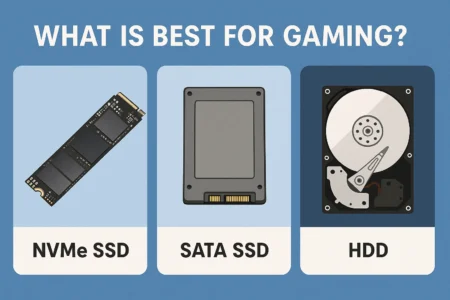
Think of it this way. For decades, our computers used Hard Disk Drives (HDDs). These were essentially tiny, spinning metal platters with a needle reading the data, like a microscopic, hyper-fast record player. They were slow. They were noisy. And they were fragile. I’ve lost more than one to the “click of death.”
Then, the Solid-State Drive (SSD) came along and changed everything. It uses flash memory (like a giant, ridiculously fast USB stick), has zero moving parts, and is vastly faster than an HDD. For a long, long time, this was the single best upgrade you could give a PC. It made old, sluggish laptops feel brand new.
Isn’t “SSD” Good Enough? What’s the “NVMe” Part?
Here’s the catch. It’s a big one.
For years, even those super-fast SSDs were using a connection, or “interface,” that was designed back in 2003 for those old, slow, spinning hard drives. That connection is called SATA.
Using a SATA SSD was like putting a Formula 1 engine in a 1990s Honda Civic. The engine (the flash memory) was incredibly powerful, but the car’s transmission, axles, and chassis (the SATA interface) just couldn’t handle all that power. It was a bottleneck. A massive one. That bottleneck limited the top speed to around 550 MB/s.
NVMe (Non-Volatile Memory Express) is the solution. It’s a modern interface built from the ground up specifically for the mind-bending speed of flash memory.
Instead of using the old, winding SATA road, NVMe drives connect directly to your motherboard’s PCIe slot. This is the same high-speed, 16-lane superhighway that your beastly graphics card uses to talk to the CPU.
The difference is staggering. It’s not just an improvement; it’s a different class of technology.
- A SATA SSD tops out around 550 MB/s.
- A common Gen3 NVMe drive hits 3,500 MB/s.
- A newer Gen4 drive? We’re talking 7,000+ MB/s.
- And the brand-new Gen5 drives are pushing 12,000 MB/s and beyond.
It’s not just a faster road; it’s a 16-lane autobahn compared to a single-lane, pothole-filled country road.
Will an NVMe SSD Really Make My Game Load Faster?
This is the big one, right? This is the core promise. All those blistering speeds sound great in a vacuum, but do they actually get you into the game quicker?
The answer is an absolutely, unequivocally, 100% yes.
This is the single most dramatic change you will experience. It’s not a subtle, “I think this is faster” feeling. It’s a night-and-day transformation that you feel in your bones. Games that used to give you time to check your phone, grab a drink, and ponder your life choices now simply… start.
Okay, But How Much Faster Are We Talking?
Let me give you a personal, real-world example. No benchmarks, just my own experience.
I built a new rig last year and decided to go all-in on a fast Gen4 NVMe drive. For testing, I first installed Cyberpunk 2077 on my old, reliable SATA SSD. From clicking “Continue” in the main menu to loading into the dense, chaotic world of Night City, the wait was consistently around 45-50 seconds.
Not bad, right? I remember when it was worse.
Then, I transferred the game to my new NVMe drive. I clicked “Continue.” I blinked. And I was in the game.
The load time dropped from 48 seconds to 7 seconds.
I had to test it again because I thought it was a fluke. It wasn’t. It just worked.
It wasn’t just booting up, either. Fast-traveling from one side of the city to the other became instantaneous. What used to be a 15-20 second loading screen was now a 1-second fade-to-black and back. It completely changed how I played the game. I was no longer hesitant to hop around the map because the “penalty” of waiting was completely gone.
This story isn’t unique. You see this across the board. Starfield? Load times are cut by 60-70%. Baldur’s Gate 3? Loading a complex save file in the crowded city of Act 3 becomes a snap. The time you spend not playing your games practically evaporates.
Does This Apply to All Games, or Just New Ones?
It helps pretty much every game in your library. Any time the game needs to read data from the drive—launching the game, loading a new level, loading a save, fast-traveling—it will be faster.
That said, the most dramatic improvements are in modern, massive games. Newer titles, especially those also developed for the PlayStation 5 and Xbox Series X/S (which use cutting-edge NVMe storage themselves), are often designed assuming the player has fast storage. They have gigantic, high-resolution textures and complex 3D models that need to be pulled into memory.
An older, simpler game like Hades might see its load time drop from 10 seconds to 3. A new, massive AAA game like Starfield will see its load time drop from 90 seconds to 10. Both are faster, but you’ll feel the second one a whole lot more.
Fine, Load Times are Smashed. But Will I Get More FPS?
This is where we need to manage expectations. You’ve spent all this money on a blazing-fast drive, so it’s logical to assume everything gets faster, including your framerate, right?
The short answer: No, not really.
An NVMe SSD will generally have a 0% to 1% impact on your average FPS. You might see a tiny bump in some very specific scenarios, but you will not turn a 60 FPS experience into a 70 FPS one.
That’s just not what the drive does.
So, My Graphics Card Still Does All the Work?
That’s exactly right. Think of your PC components as a specialized team working in a restaurant kitchen.
- Your GPU (Graphics Card): This is the master chef. Their job is to plate (render) every single meal (frame) you see. Their skill and speed are the #1 factor determining your FPS.
- Your CPU (Processor): This is the head chef or expediter. They manage the kitchen’s logic, take the orders (inputs), call out instructions, and tell the master chef what to plate.
- Your RAM (Memory): This is the “prep station.” It holds all the ingredients that are prepped and ready right now—the textures, models, and sounds for the level you’re currently in.
- Your SSD (Storage): This is the giant walk-in freezer and pantry. It holds all the restaurant’s ingredients (the game’s data).
When you start a game, the SSD’s job is to move all the necessary ingredients from the pantry (storage) to the prep station (RAM). An NVMe drive does this insanely fast.
But once all the ingredients are prepped? The SSD’s job is mostly done. It’s now up to the CPU and GPU to work together to cook and plate the food. A faster pantry doesn’t make the master chef (GPU) plate any faster. Therefore, your average FPS doesn’t change.
Are There Any In-Game Situations Where NVMe Helps?
Ah, but there is a major exception. This is the “hidden” performance benefit that benchmark charts don’t show you. The magic word is asset streaming.
In massive open-world games—think Microsoft Flight Simulator, Forza Horizon, Starfield, or Marvel’s Spider-Man—the game can’t possibly load the entire world into your RAM at once. It’s just too big. The prep station is full.
So, it loads the small “bubble” of the world immediately around you. As you move, the game is frantically dumping the data for the area you just left and pulling new data from the pantry (SSD) for the area you’re approaching. This is “streaming” assets from your drive in real-time.
This is where a slow drive falls apart.
I used to play Forza Horizon 4 on an older PC with a hard drive. I’d be blasting down the highway at 200 MPH, and the game simply couldn’t load the textures fast enough. Roads would be blurry, and sometimes—I’m not kidding—a building or a bridge would just pop into existence 50 feet in front of me. It was jarring and completely broke the immersion.
With an NVMe drive, this problem is gone. The drive is so fast that it can stream in all the new, high-resolution textures and models long before you ever get close enough to see them. The result?
- No more texture “pop-in.”
- No more objects materializing out of thin air.
- No more stuttering or micro-freezes while the game pauses to wait for your slow drive to catch up.
So, while your average FPS might not change, your minimum FPS and overall smoothness will be far more consistent. This makes the game feel incredibly fluid and solid.
But What About Those “1% Low” FPS Numbers?
This is where the nerds (like me) get excited. If you watch tech reviews, you’ll hear them talk about “1% low” and “0.1% low” FPS.
This is the key.
Your “average FPS” is a decent metric, but it lies. It doesn’t tell you about the jarring stutters. Your “1% low” FPS, on the other hand, measures the worst frames. It’s a much better indicator of a smooth, consistent experience.
A slow drive that causes a stutter will crater your 1% low framerates, even if your average is high. Because an NVMe SSD eliminates those asset-streaming stutters, it can dramatically improve your 1% low FPS. This means the game feels faster and more responsive, even if the “average” FPS number on your screen doesn’t change. It’s all about consistency.
What Else Does an NVMe SSD Do For My PC?
Upgrading to an NVMe drive isn’t just an investment in your games; it’s an investment in your entire computer. The ripple effect is massive. You use your storage for everything you do, and making it faster makes everything faster.
Does it Make Windows Faster Too?
Oh, absolutely. This is almost as impressive as the load time improvements. Remember waiting for your PC to boot up, staring at the little spinning circle? With an NVMe drive, that wait is often reduced to 5-10 seconds from a cold boot. Waking your PC from sleep is instantaneous.
But it’s the little things, too.
- Opening applications like Chrome, Discord, or Spotify? Instant.
- Scrubbing through a 4K video timeline in a video editor? Smooth as butter.
- Opening a giant 2GB Photoshop file? It doesn’t chug; it just opens.
- Transferring files is the real party trick. Moving a 50GB game folder from one NVMe drive to another can take less than a minute, a task that would have taken 10-15 minutes on a SATA SSD or nearly an hour on an HDD.
It removes all the little “micro-waits” you’ve become accustomed to throughout your day. The whole system just feels snappy, responsive, and modern.
Is it Good for Content Creation, Like Recording Gameplay?
If you’re a streamer or YouTuber, an NVMe drive is practically a business expense. It’s a non-negotiable.
When you use software like OBS to capture your gameplay, especially at high resolutions like 1440p or 4K, you are generating a massive video file in real-time. Your computer needs to write all of that data to your drive, instantly, without a single hiccup.
A slower SATA SSD can struggle with these high-bitrate recordings, leading to “encoding overloaded” errors or, worse, dropped frames in your final video. A hard drive? Forget about it.
An NVMe drive, with its phenomenal write speeds, can handle this data onslaught without breaking a sweat. You can record pristine, high-quality footage while simultaneously playing your game, all running from the same drive, and it won’t miss a beat.
I See “Gen3,” “Gen4,” and “Gen5.” Does It Matter?
Okay, so you’re sold on NVMe. But when you go to buy one, you’re hit with more jargon: PCIe Gen3, Gen4, and Gen5. This just refers to the “generation” of the PCIe highway, with each one being twice as fast as the last.
- Gen3 NVMe: Tops out around 3,500 MB/s.
- Gen4 NVMe: Tops out around 7,000 MB/s.
- Gen5 NVMe: Tops out around 12,000 MB/s or more.
Your motherboard has to support the same generation (or newer) to get those full speeds. The question is, do you need a Gen4 or Gen5 drive for gaming?
What’s the Real-World Difference Between Gen3 and Gen4 for Gaming?
Right now, for pure gaming, the difference is surprisingly small.
Yes, a Gen4 drive is twice as fast as a Gen3 on paper. But games aren’t yet built to use that full speed. When you test load times, a Gen4 drive might load Starfield in 9 seconds, while a Gen3 drive loads it in 11 seconds.
It’s faster, but it’s not the same monumental leap you got when moving from a SATA drive (which might take 50 seconds). We’re in the land of diminishing returns.
For now, a high-quality Gen3 drive offers incredible value and is more than fast enough for a fantastic gaming experience. A Gen4 drive is a great way to “future-proof” your build, ensuring you’re ready for what comes next.
What About DirectStorage? Is That the Future?
This is what comes next. Microsoft’s DirectStorage is the technology to watch.
Remember our restaurant kitchen analogy? Currently, when a game needs assets, the CPU (the head chef) has to go to the pantry (SSD), get the ingredients, bring them back, unbox (decompress) them, and then hand them to the master chef (GPU). This is a ton of work for the CPU. It’s a huge bottleneck.
DirectStorage is a new API that completely changes the workflow. It allows the GPU (the chef) to go directly to the NVMe pantry itself and grab what it needs, bypassing the CPU entirely. It’s a game-changer for efficiency.
We saw this technology first in the Xbox Series X and PS5, and it’s the secret sauce behind their “instant load” capabilities. Now, it’s on PC. Games like Forspoken were the first to use it, and we’ll see more and more games adopt it.
This is the technology that will finally unlock the full potential of Gen4 and Gen5 NVMe drives. It will not only make load times non-existent but also free up your CPU, which could lead to higher framerates. As this tech becomes standard, having a fast NVMe drive will shift from a “nice-to-have” to a “must-have.” For more technical details, you can check out Microsoft’s own DirectX Developer Blog to see how they’ve architected it.
Is This Upgrade a Nightmare to Install?
This is a question I get all the time. It’s a fair one. We all remember the days of messing with IDE ribbons and SATA power cables.
The good news? Installing an NVMe drive (which usually comes on a little stick called an “M.2” card) is incredibly easy. It’s way easier than routing old SATA cables.
You just find the M.2 slot on your motherboard (it’s a small, horizontal slot), slide the drive in at an angle, and then use one tiny screw to hold it down. That’s it. No power cable, no data cable. It’s clean, simple, and takes about 30 seconds.
The only “gotcha” is making sure your motherboard has an M.2 slot. Almost any motherboard made in the last 5-7 years will have at least one. If you’re on an older system, you’ll need to check your manual.
So, Should I Ditch My Old Drive and Go NVMe?
We’ve covered the what and the why. Now for the most important part: Is this upgrade right for you and your budget? Let’s break it down by a couple of common scenarios.
I Have an Old Hard Drive (HDD). Is This a “Must-Have”?
YES. Stop reading. Go buy one.
I’m not joking. If you are still running your operating system and your games from a spinning hard drive, an NVMe SSD (or even a cheaper SATA SSD) is the single greatest, most life-changing upgrade you can possibly make.
It’s not an incremental improvement; it’s a leap into a new generation of computing. Your entire PC will feel like a brand-new machine. The frustration you feel from waiting on your PC will simply melt away. This is a 10/10, must-have, no-questions-asked upgrade.
I Already Have a SATA SSD. Is the Jump as Big?
This is a much more nuanced question. And the honest answer is no, the jump is not as big.
The leap from HDD to SATA SSD was a 10x improvement. It solved the main problem. The leap from SATA SSD to NVMe SSD is another 5-10x improvement on top of that, but you feel it less because things were already pretty fast.
Here’s my personal take:
- If you are building a new PC today: Start with an NVMe drive. It’s a no-brainer. The price difference between a good 1TB SATA SSD and a good 1TB NVMe drive is smaller than ever. It’s the new standard, so you should build with it.
- If you are upgrading an existing PC with a SATA SSD: It’s more of a “luxury” upgrade, unless you fit into one of these categories:
- You are a content creator who records/edits video.
- You play a ton of the newest, most demanding open-world games and are sick of texture pop-in.
- You have the budget and simply want your PC to be as fast as it possibly can be.
If you’re a casual gamer who’s happy with your current performance, your SATA SSD is still a fantastic piece of kit. But if you have that upgrade itch, an NVMe drive is a very, very satisfying one to scratch.
The Final Verdict: Is an NVMe SSD the Key to Better Gaming?
An NVMe SSD is not a magic bullet. It’s not going to give you more FPS. It’s not going to make your graphics card perform better or let you suddenly turn on ray tracing.
What it is, however, is a profound “quality of life” upgrade. It’s an investment that removes the single most boring, frustrating, and immersion-breaking part of PC gaming: waiting.
It makes your entire, expensive gaming rig finally feel as fast and powerful as it’s supposed to. It bridges the gap between you and your games. I never realized how much of my gaming time was spent not gaming until I upgraded.
Now, I just click, and I play.
For me, there’s no going back.
FAQ – Does an NVMe SSD improve gaming performance
Will upgrading to an NVMe SSD make my PC faster overall?
Yes, upgrading to an NVMe SSD makes your entire system feel more responsive by speeding up boot times, application launches, file transfers, and reducing micro-waits during daily use.
Is an NVMe SSD worth upgrading to if I already have a SATA SSD?
Upgrading from a SATA SSD to an NVMe SSD offers noticeable speed improvements, especially in load times and asset streaming, but the difference may be less dramatic than upgrading from an HDD to an SSD depending on your usage.
How difficult is it to install an NVMe SSD?
Installing an NVMe SSD is straightforward; it involves placing the drive into an M.2 slot on your motherboard and securing it with a screw, taking about 30 seconds without needing additional cables.
Does an NVMe SSD improve FPS in games?
No, an NVMe SSD does not significantly affect FPS because FPS is primarily determined by the GPU and CPU; however, it greatly improves load times and stability during asset streaming.